Scoliosis screening and follow-up for physiotherapists
From the scoliometer to the true Cobb angle on X-ray: a professional scoliosis report in seconds
Enter the angles of trunk rotation (ATR) from the Adams test or measure the Cobb angle on an X-ray; Curvisio prepares the A4 assessment report for you.
No card required1 month(s) free, unlimited trialDesigned for tablets
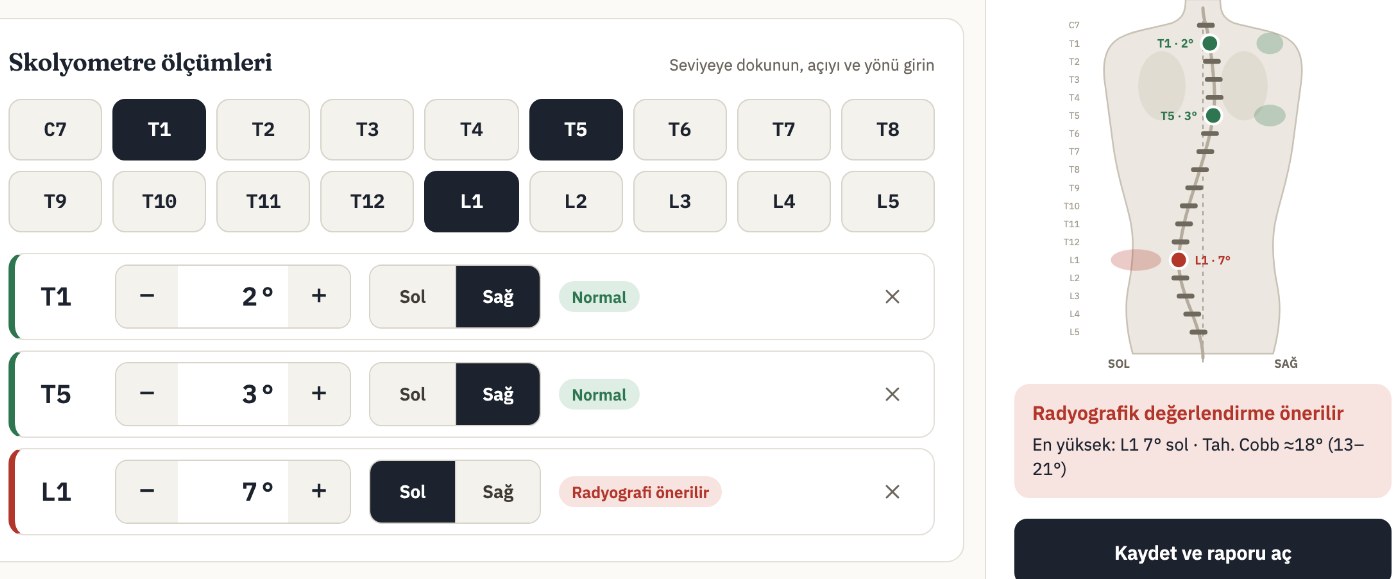
ATR · L1 · Left7°
Live back mapUpdates instantly
A4 report readyDownload PDF · Print
Cobb measurement on X-rayTrue angle · 34°
How it works
Measure, enter, share the report
In three steps, without changing how you examine.
1
Measure
Measure the angle of trunk rotation (ATR) with a scoliometer during the Adams forward bend test, as usual.
2
Enter
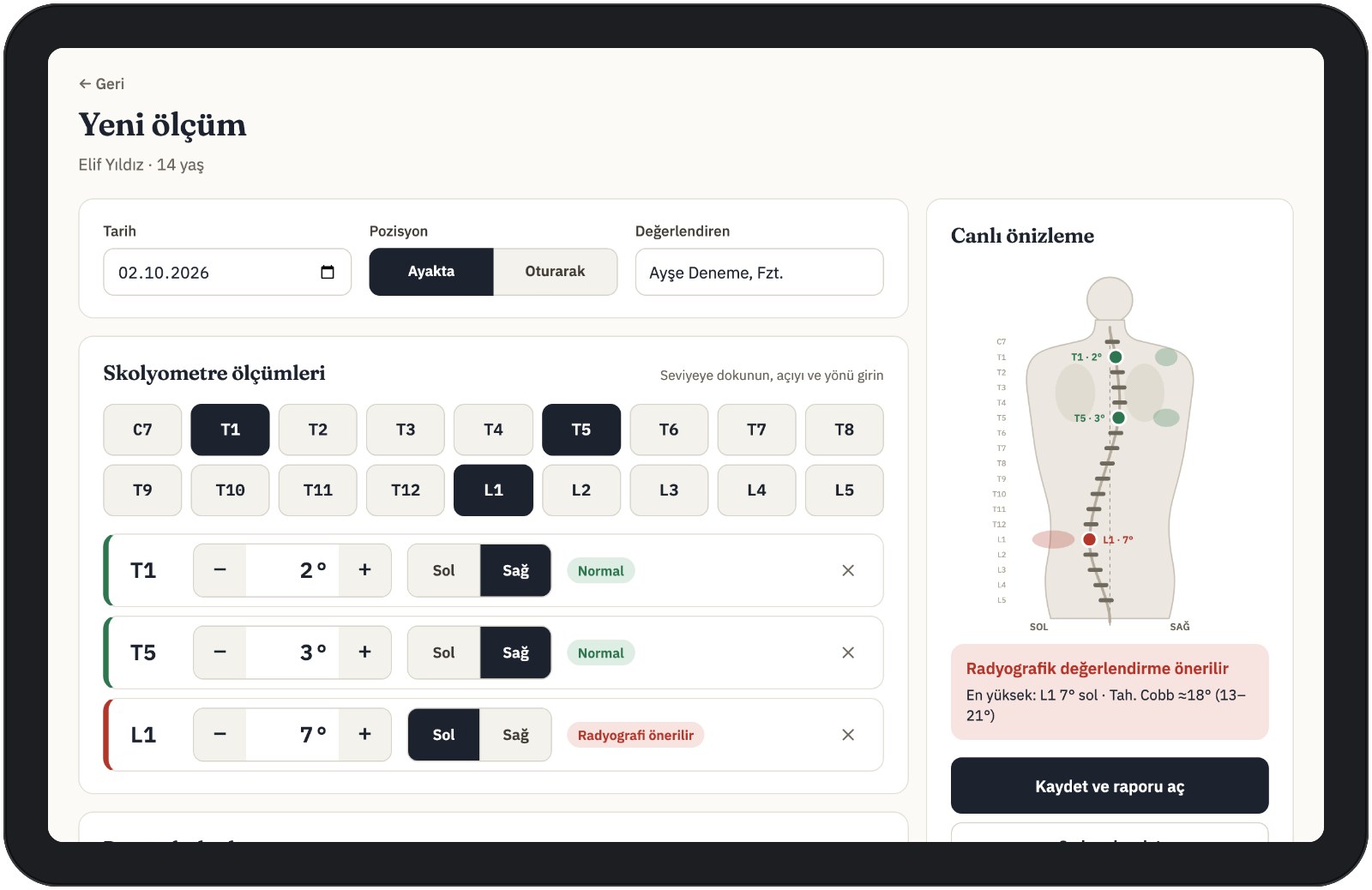
Tap the vertebral level, enter the angle with −/+, choose left or right. The back map updates instantly.
3
Share the report
The A4 assessment report is ready in seconds. Download it as a PDF or print it directly.
Features
From examination to report, in one flow
Measurement entry, reports and patient follow-up in one place.
Fast measurement entry
Every vertebral level from C7 to L5 is selected with a single tap. Designed for tablet (iPad) use, with large touch targets that are easy to use during an examination.
Tap the level: C7, T1–T12, L1–L5
Enter the angle with the −/+ buttons and choose left/right
The posterior-view back map updates live
Cobb measurement on X-ray New
Open the X-ray and draw lines on the end vertebrae’s endplates; the Cobb angle is calculated instantly and appears in your report as the final Cobb angle. The X-ray image never leaves your device, is never uploaded and is deleted when you finish.
In S-type curves each curve is measured separately; the largest becomes the final value
End vertebrae, apex vertebra and curve direction are recorded
You review the summary before confirming and correct it if needed
Automatic report
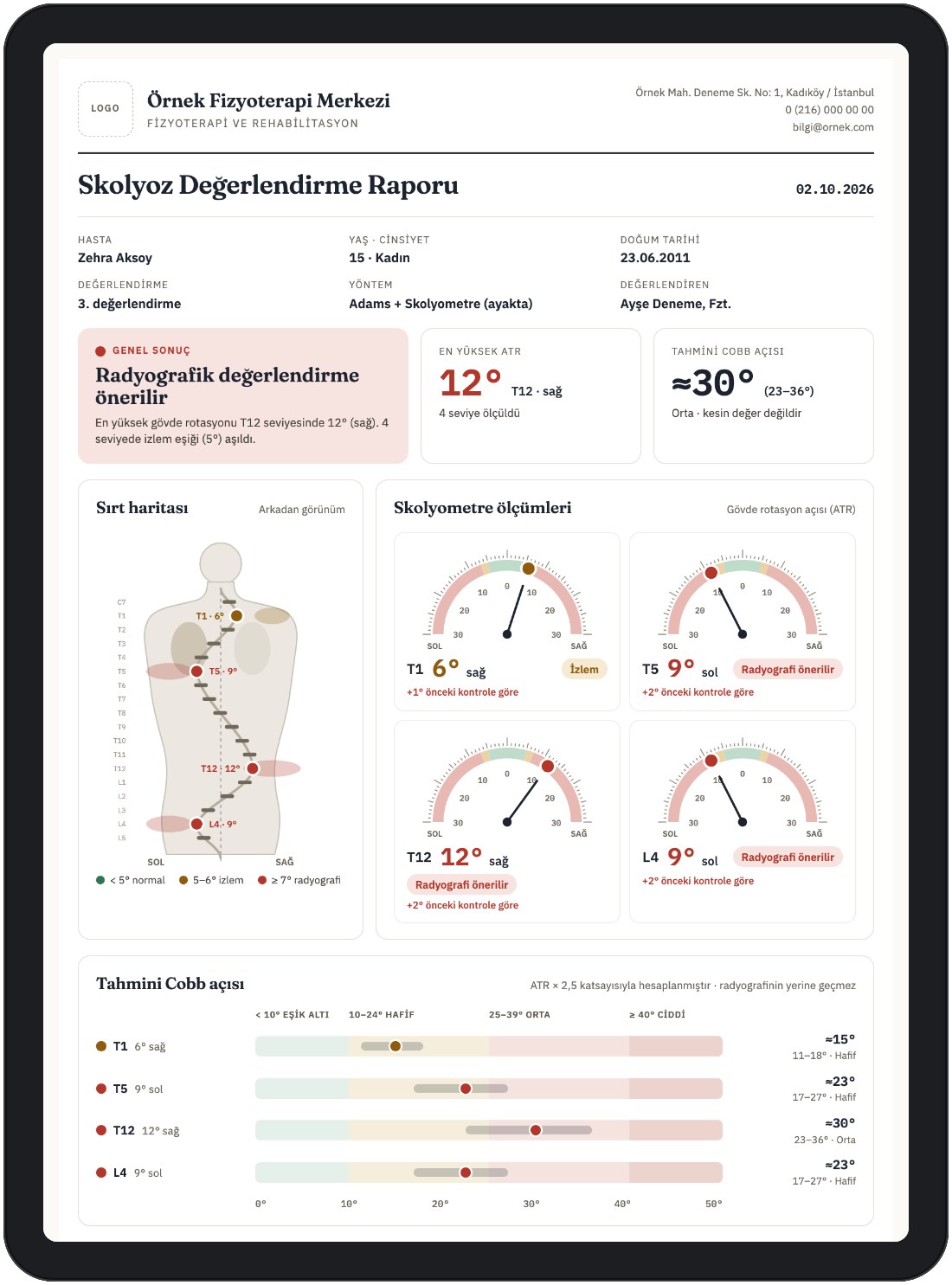
Back map, scoliometer dials, estimated or X-ray-measured Cobb angle, progress chart and automatic clinical comments on a single A4 page.
Colour-coded assessment
Each measurement is coloured by threshold. You can adjust the thresholds to your own protocol.
NormalATR < 5°Monitor5–6°X-ray recommended≥ 7°
PDF and printing
Download the report as a PDF or print it. It includes your practice’s logo, address and a signature field.
Patient follow-up
A record for each patient with all their assessments. Switch between previous and next reports with one tap.
Password-free sign-in
Enter your phone number and the code sent by SMS. No password to remember.
Add to home screen
Add it to the home screen of your phone or tablet; it opens like an app.
Report
What’s in the report?
A tidy A4 page that is easy to explain to patients and families and to share with colleagues.
01Posterior-view back mapMeasured levels on the spine, with side and colour code.
02Scoliometer dialsThe highest ATR value in each region on a dial.
03Estimated Cobb angle rangeAn approximate range derived from the ATR.
04Progress-over-time chartComparison with previous assessments.
05Postural and radiological findingsShoulders, scapulae, waist triangle, pelvis and your other notes.
06Automatic clinical commentsC/S-type rotation pattern and change since the previous check.
07Suggested check-up dateA suggested date for the next assessment.
08Your practice’s identityLogo, address and signature field.
The estimated Cobb angle is an approximate value derived from the ATR; diagnosis and treatment decisions must be based on radiographic measurement and clinical assessment. The app does not replace a radiograph.
Security and data protection
Patient data kept safe
Data security and data protection have been built in from day one.
Separate data per practice
Each practice’s data is kept completely separate.
Encrypted connection
All traffic is encrypted with HTTPS.
Daily backups
Your data is backed up every day.
Nothing stored on the device
Patient data is not stored on phones or tablets.
Pricing
Simple pricing
Every feature is included in every plan. Try it free and without limits for 1 month(s), then choose the plan that suits you.
Free trial
€0/ 1 month(s) unlimited
No card required.
Unlimited patients and assessments for 1 month(s)
When the trial ends your data is kept; you continue on the free plan (2 patients)
Report with back map, Cobb estimate and automatic comments
When a subscription ends your data is not deleted: your account moves to the free plan and you can still view all your patients and reports.
FAQ
Frequently asked questions
When do I need to enter a card?
No card is needed for the free trial or the free plan. A card is only requested when you choose a plan and subscribe.
How does the free trial work?
From the day you sign up you use every feature without limits for 1 month(s); no card is needed and the trial never turns into a paid subscription on its own. When it ends your account moves to the free plan: your data is kept and you can still view your patients and reports. To continue without limits, just choose a plan.
What does the free plan include?
The free plan includes every feature with no time limit. You can register up to 2 patients and enter 1 assessment(s) per patient. For more, just choose a plan. When a subscription ends your data is not deleted either; you can still view your patients and reports.
Does it work on a tablet?
Yes. Curvisio is designed for tablet (iPad) use and also works in the browser on phones and computers. Added to the home screen, it opens like an app.
Can I get the report with my own logo?
Yes. Your practice’s logo and address appear on the report, with a signature field at the bottom.
How is my data stored?
Data is backed up every day. Each practice’s data is kept completely separate, the connection is encrypted with HTTPS and patient data is not stored on your device. See the Privacy Notice for details.
How do I cancel my subscription?
You can cancel on the Subscription page in the app. After cancelling your data is not deleted and you can still view it.
Try it free
1 month(s) free and unlimited, no card required. Create your first report today.
With your consent we use Google Analytics cookies to understand how our website is used. No analytics cookies are used inside the app (patient screens). Cookie preferences